A lot of Shopify stores only send emails when there’s something to announce.
A sale.
A new product.
A holiday promo.
A payday campaign.
That’s useful.
But your customers don’t only need follow-up when you decide to send a campaign.
They need follow-up when they do something important.
They join your list.
They view a product.
They start checkout.
They buy for the first time.
They stop coming back.
That’s where Klaviyo email flows come in.
A Klaviyo email flow is an automated email, or series of emails, that sends when a customer takes a specific action.
So instead of manually checking who joined your list, started checkout, bought once, or disappeared, your email system can follow up for you.
If you’d rather have this set up for you, our klaviyo email marketing services cover the full build, or if you want the bigger picture first, start with how Klaviyo email marketing works for Shopify stores.
What Are Klaviyo Email Flows?
A Klaviyo email flow is an email that sends automatically when a customer does something important.
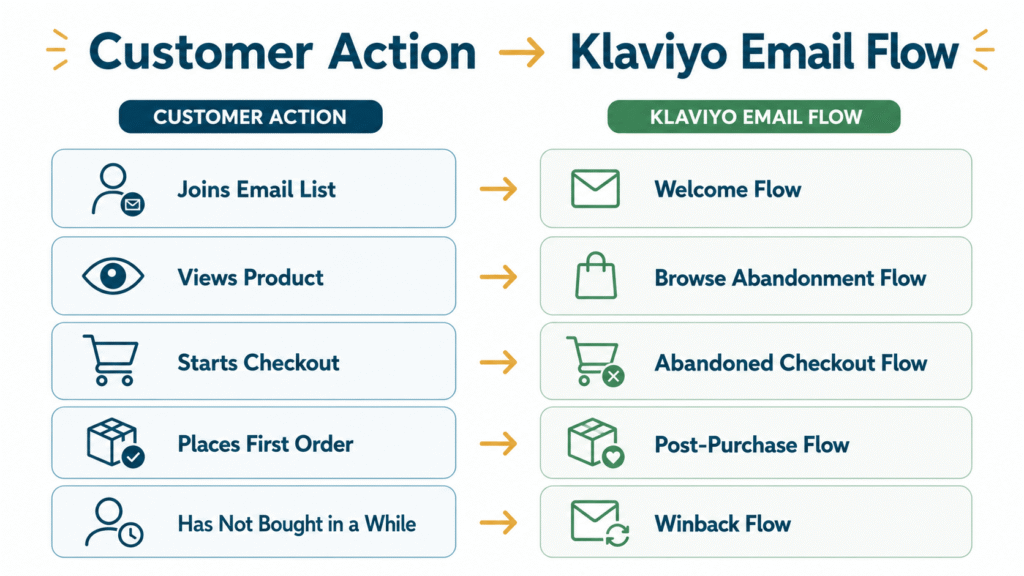
For example:
Customer Action | Klaviyo Email Flow |
Joins your email list | Welcome flow |
Views a product | Browse abandonment flow |
Starts checkout but does not place an order | Abandoned checkout flow |
Places an order | Post-purchase flow |
Has not bought in a while | Winback flow |
That’s the easiest way to understand it.
Campaigns are emails you schedule manually.
Flows are emails customers trigger through their actions.
Klaviyo explains that flows can be triggered when someone takes an action, such as joining a list, checking out, or reaching a date-based event like a birthday. Klaviyo also says synced data can be used to trigger and target automated flows. (Klaviyo Help Center)
So instead of asking:
What email should we send this week?
You can also ask:
What should happen when a customer takes this action?
That’s when email gets more useful.
Quick note for Philippine Shopify brands
Klaviyo can support SMS in selected countries, but Klaviyo SMS is not currently listed as available in the Philippines. Klaviyo’s SMS availability page says SMS is not available everywhere, and its listed Asia-Pacific countries are Australia and New Zealand. (Klaviyo Help Center)
So this guide focuses on Klaviyo email flows.
Shopify Flow, Shopify Email Automations, and Klaviyo Email Flows Are Different
The word “flow” can get confusing.
Shopify has Shopify Flow.
Shopify also has email automations.
Klaviyo has email flows.
They are not all the same thing.
Here’s the simple difference:
Tool / Feature | What It Means |
Shopify Flow | Backend store automation for tasks inside Shopify and connected apps |
Shopify Email / Shopify Messaging automations | Basic marketing automations and campaigns inside Shopify |
Klaviyo email flows | Email sequences triggered by customer behavior, purchase data, or profile conditions |
Shopify Flow is more about store operations. It can automate tasks using triggers, conditions, and actions.
Shopify Messaging can help merchants create and send campaigns from Shopify admin and create marketing automations.
Klaviyo email flows are different because they’re built around customer follow-up.
They can use Shopify customer behavior, purchase history, email engagement, and profile data to send more relevant automated emails.
That’s what this guide is about.
Klaviyo email flows for Shopify stores.
If you’re still deciding which platform fits your stage, this comparison of Klaviyo vs Shopify Email can help you choose more clearly.
Why Klaviyo Email Flows Matter for Shopify Stores
Your Shopify store already has buying signals.
People view products.
Start checkout.
Place orders.
Buy once.
Stop coming back.
The problem is that many stores don’t follow up on those moments.
They only send campaigns.
That means a lot of customer intent gets ignored.
Klaviyo email flows help fix that.
They follow up when the customer moment happens.
Not days later.
Not when someone remembers.
Not only during a sale.
For example:
A new subscriber joins your list.
Your welcome flow starts.
A shopper starts checkout but does not place an order.
Your abandoned checkout flow starts.
A customer buys for the first time.
Your post-purchase flow starts.
A past customer goes quiet.
Your winback flow can bring them back.
That’s why flows matter.
They help your Shopify store respond while the customer moment is still fresh.
And the better your data, the better your flows can be.
For Shopify stores, useful flow data can include:
- Product views
- Checkout activity
- Orders
- Purchase history
- Email engagement
- Customer stage
Klaviyo’s Shopify integration can bring customer profile and order data into Klaviyo, enable onsite tracking and sign-up forms, and sync data between Klaviyo and Shopify.
That data helps your emails feel more relevant.
A new subscriber does not need the same follow-up as a checkout abandoner.
A first-time buyer does not need the same email as a VIP customer.
A lapsed customer does not need the same message as someone who clicked yesterday.
This is one of the biggest reasons Shopify stores use Klaviyo for email marketing instead of relying only on basic email sending.
Klaviyo Flows vs Campaigns: What’s the Difference?
Klaviyo flows and campaigns both matter.
But they do different jobs.
Email Type | How It Sends | Best For |
Klaviyo flows | Sends automatically based on customer behavior or data | Welcome emails, checkout recovery, post-purchase, winback |
Klaviyo campaigns | Sent manually to a selected audience | Sales, launches, newsletters, product education, seasonal campaigns |
To understand how automated emails work beside one-time sends, it helps to know the difference between email campaigns and flows.
How Klaviyo Email Flows Work
A Klaviyo email flow usually has a few basic parts.
Flow Part | What It Does |
Trigger | Starts the flow |
Flow filters | Controls who should or should not continue |
Time delays | Controls when emails send |
Email messages | Sends the actual follow-up |
Splits | Creates different paths based on behavior |
Reporting | Shows what is working |
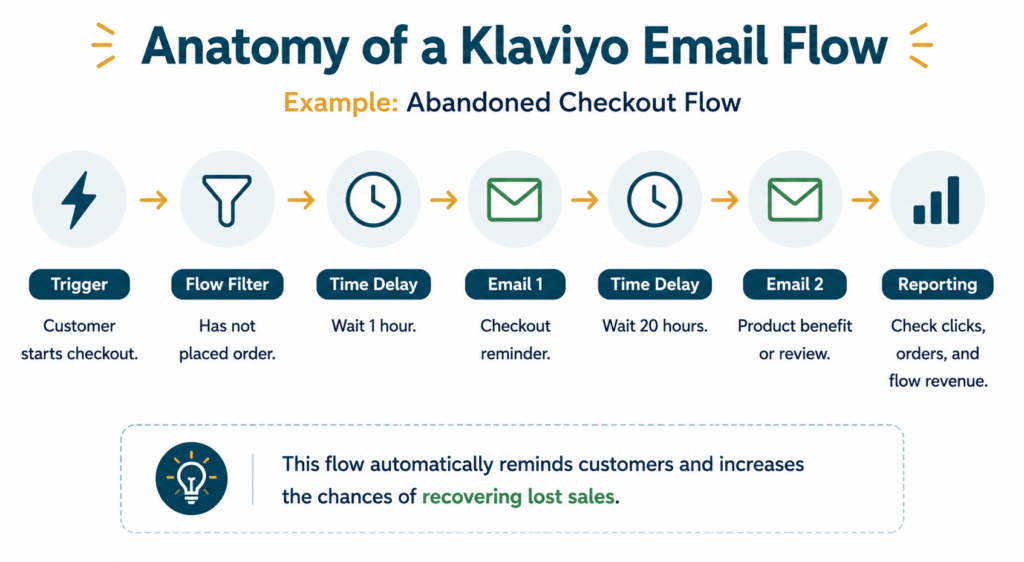
Here’s a simple abandoned checkout example:
Flow Step | Example |
Trigger | Customer starts checkout |
Filter | Customer has not placed an order |
Delay | Wait a few hours |
Email 1 | Checkout reminder |
Delay | Wait another day |
Email 2 | Product benefit, review, or objection handling |
Exit | Customer buys or leaves the sequence |
This is why flows are useful.
They let your store respond without manually checking every customer action.
For Shopify, Klaviyo notes that the default abandoned cart flow is triggered by the Shopify Checkout Started event, while the Added-to-Cart version is a separate flow for more casual shoppers who have not started checkout yet. (Klaviyo Help Center)
The 5 Core Klaviyo Email Flows Shopify Stores Usually Need
You don’t need every automation on day one.
Start with the flows closest to revenue, retention, and customer experience.
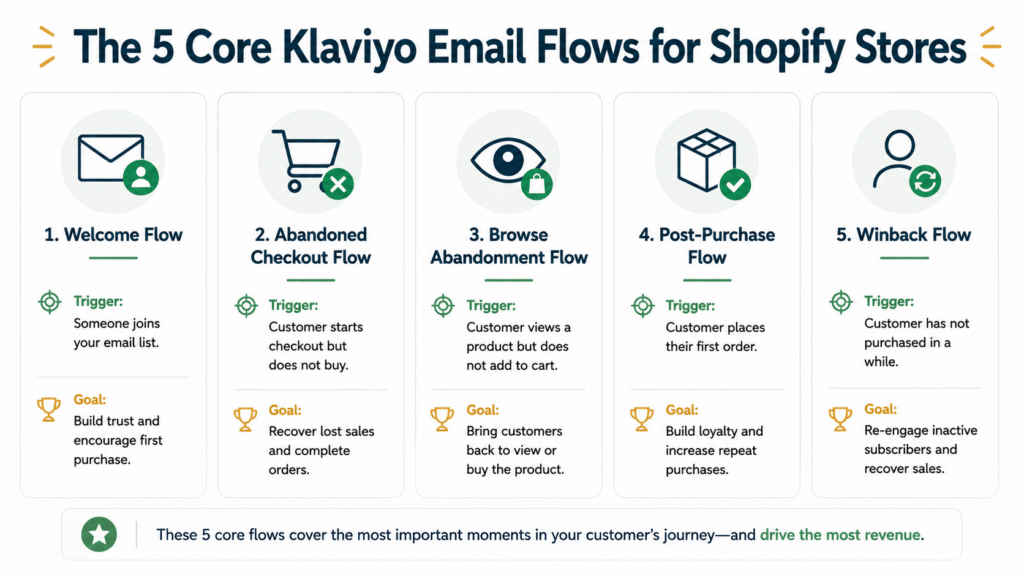
Flow | Trigger | Main Goal |
Welcome flow | Joins email list | Turn subscriber into first-time buyer |
Abandoned checkout flow | Started Checkout but did not place an order | Recover high-intent shoppers |
Browse abandonment flow | Views product but does not add to cart | Bring interested shoppers back |
Post-purchase flow | Places order | Support customer and encourage repeat purchase |
Winback flow | Has not bought in a while | Bring inactive customers back |
Klaviyo’s getting started guide highlights flows like welcome, abandoned cart, post-purchase, and winback as high-impact flows to start with. (Klaviyo Help Center)
These are the flows that cover the main customer moments:
A subscriber joins.
A shopper browses.
A shopper starts checkout.
A customer buys.
A customer goes quiet.
Once you understand the basics, the next step is knowing which email flows every Shopify store should set up first.
Other Klaviyo Email Flow Add-Ons You Can Build Later
The five core flows should come first.
But once your foundation is working, you can add more flows based on your products, customer journey, and data.
You don’t need every flow on day one.
Start with the core flows, then add these when your store has a clear reason for them.
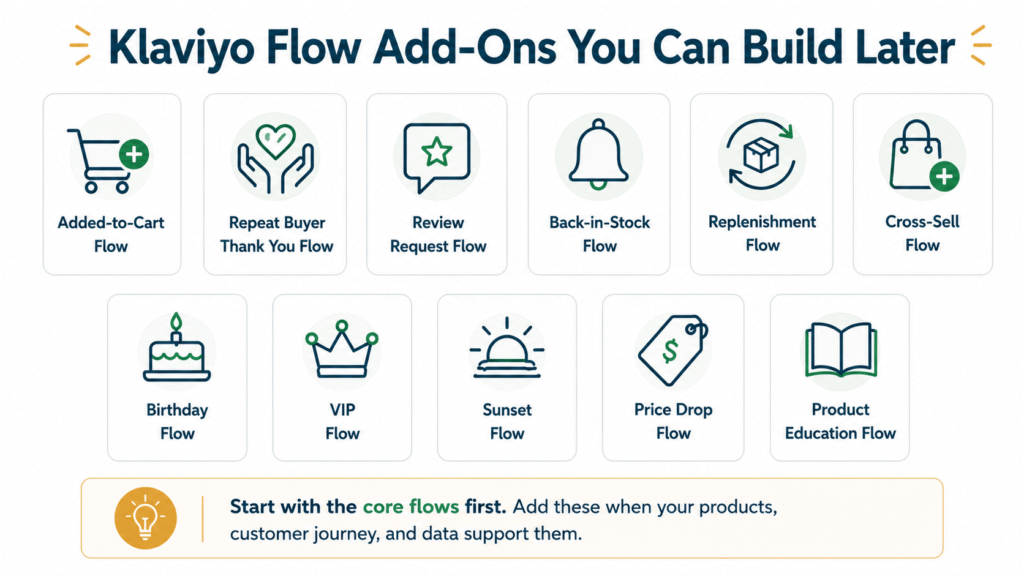
Flow Add-On | What It Does | Best For |
Added-to-Cart Flow | Follows up after someone adds a product to cart but does not start checkout | Stores with add-to-cart tracking enabled |
Repeat Buyer Thank You Flow | Thanks customers after their second or repeat purchase and makes them feel valued | Stores building loyalty |
Review Request Flow | Asks customers for reviews after they’ve had time to use the product | Stores that need more social proof |
Back-in-Stock Flow | Alerts shoppers when a sold-out product is available again | Stores with restocks or limited inventory |
Replenishment Flow | Reminds customers to reorder before they run out | Skincare, supplements, beauty, food, wellness |
Cross-Sell Flow | Recommends related products after purchase | Stores with product pairings or bundles |
Birthday Flow | Sends a birthday message or offer | Brands collecting birthday data |
VIP Flow | Gives special treatment to high-value customers | Stores with loyal or frequent buyers |
Sunset Flow | Re-engages or suppresses inactive subscribers | Brands protecting list health and deliverability |
Price Drop Flow | Notifies shoppers when a product price drops | Stores with sale or markdown activity |
Product Education Flow | Teaches customers how to use or choose a product | Products that need explanation |
The goal is not to build the longest flow library.
The goal is to build the right flow system for your store.
As your store grows, you can add more specific automations like back-in-stock emails, replenishment emails, and cross-sell emails based on your products and customer journey.
What Makes a Good Klaviyo Email Flow?
A good Klaviyo email flow is not just active.
It has a clear purpose.
Every flow should answer:
What customer moment are we responding to?
That question keeps your automation focused.
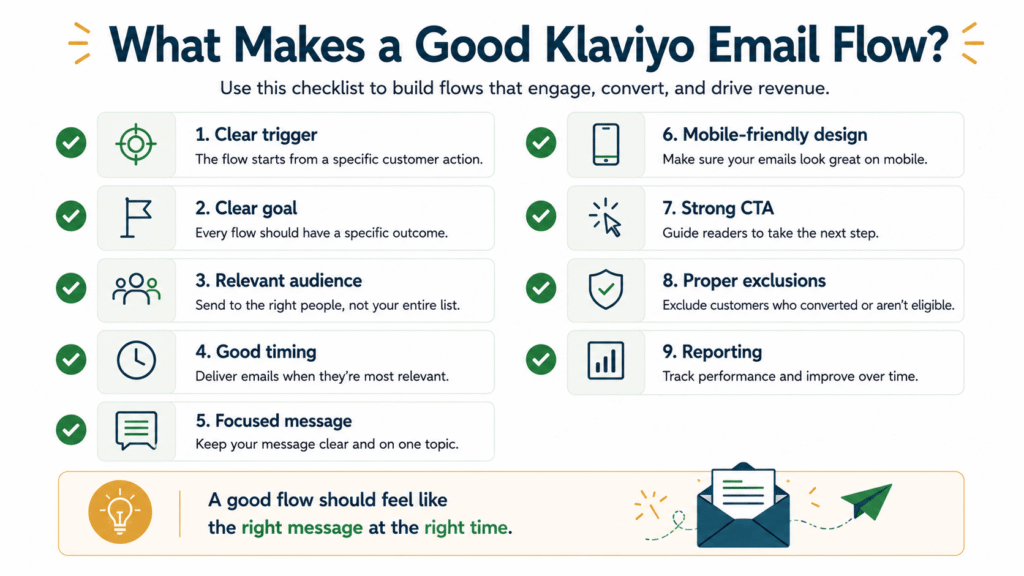
Here are the key parts of a good flow:
Flow Element | Why It Matters |
Clear trigger | Starts the flow at the right moment |
Clear goal | Keeps the flow focused |
Relevant audience | Prevents wrong people from getting the email |
Good timing | Sends when the customer moment is still fresh |
Focused message | Makes the next step clear |
Mobile-friendly design | Helps customers read and click easily |
Strong CTA | Guides action |
Proper exclusions | Prevents awkward or irrelevant sends |
Reporting | Shows what to improve |
Here’s the simple do this / avoid this version:
Do This | Avoid This |
Set one clear goal per flow | Trying to make one flow do everything |
Match the message to the customer action | Sending generic emails to every customer |
Use proper filters and exclusions | Sending checkout reminder emails after someone already bought |
Review performance regularly | Leaving flows untouched for months |
Keep emails mobile-friendly | Overdesigning emails that are hard to read |
A good flow should feel like the right message at the right time.
Not just another email.
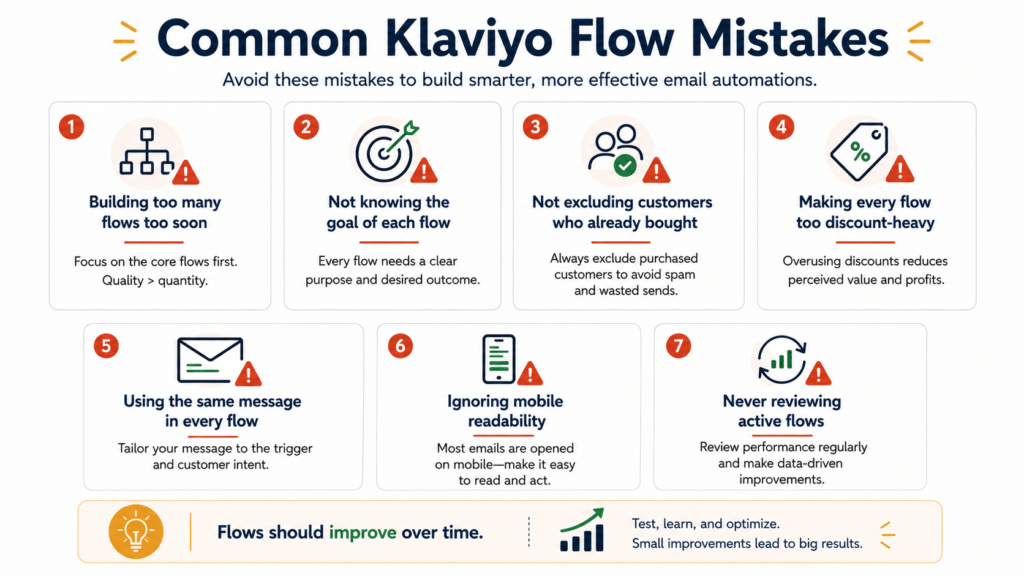
Common Klaviyo Flow Mistakes to Avoid
Klaviyo email flows are powerful.
But they can still underperform if the strategy is weak.
Here are common mistakes to avoid.
1. Building too many flows too soon
It’s tempting to build everything at once.
Welcome.
Checkout.
Browse.
Post-purchase.
Winback.
Birthday.
VIP.
Sunset.
Replenishment.
Cross-sell.
But if the basics are not working, advanced flows will only create more mess.
Start with the core flows first.
Then add more later.
2. Not knowing the goal of each flow
Every flow needs one clear job.
A welcome flow should guide new subscribers.
An abandoned checkout flow should bring shoppers back after they start checkout but do not order.
A post-purchase flow should support buyers.
A winback flow should re-engage past customers.
If the goal is unclear, the emails become random.
3. Not excluding customers who already bought
This is one of the fastest ways to create a bad customer experience.
Imagine buying a product, then still receiving emails telling you to finish your checkout.
That feels broken.
Use filters and exclusions so the wrong people do not keep receiving the wrong emails.
4. Making every flow too discount-heavy
Discounts can work.
But if every flow depends on discounts, customers may learn to wait for the next offer before buying.
Some flows should educate.
Some should build trust.
Some should answer objections.
Some should support the product experience.
Not every flow needs a discount to work.
5. Using the same message in every flow
A checkout abandoner needs a different message from a product viewer.
A first-time buyer needs a different message from an inactive customer.
If every flow sounds the same, you lose the value of behavior-based email.
6. Ignoring mobile readability
Many shoppers read emails on mobile.
If the design is too crowded, the copy is too small, or the CTA is hard to find, performance can suffer.
Keep the email easy to scan.
7. Turning flows on and never reviewing them
A flow is not done just because it is live.
You still need to check performance.
Review the emails.
Review the timing.
Review the clicks.
Review the orders.
Review unsubscribes and complaints.
Flows should improve over time.
How to Know If Your Klaviyo Flows Are Working
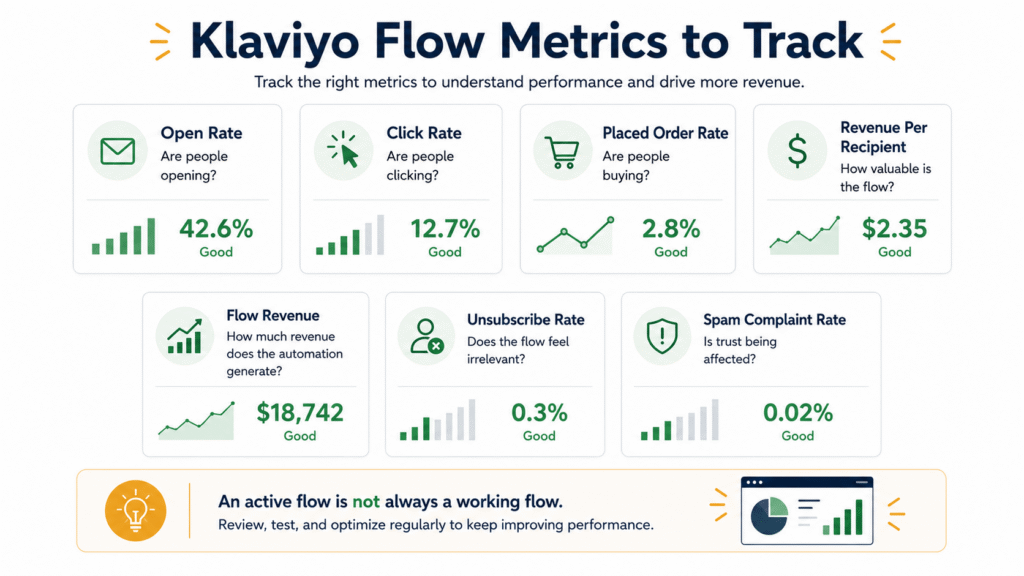
A flow being active does not always mean it is working.
You need to look at the numbers.
Klaviyo’s flow analytics help brands review flow message performance over time. Klaviyo also shows flow performance metrics such as open rate, click rate, and conversion-related reporting inside its flow analytics.
For Shopify stores, these are the metrics worth checking:
Metric | What It Shows |
Open rate | Whether the subject line and sender get attention |
Click rate | Whether the email message drives action |
Placed order rate | Whether the flow helps drive purchases |
Revenue per recipient | How valuable the flow is per recipient |
Flow revenue | How much revenue the automation generates |
Unsubscribe rate | Whether the flow feels irrelevant |
Spam complaint rate | Whether the flow may hurt trust or deliverability |
Open rate matters.
But it is not the full story.
A flow can get opens and still fail to drive clicks or orders.
That’s why you need to look at the full picture.
Ask:
- Are people opening?
- Are people clicking?
- Are people buying?
- Are people unsubscribing?
- Is this flow helping the customer move forward?
- What should we test next?
A good flow is not only active.
It should be reviewed and improved.
To review performance properly, you also need to know which email marketing metrics every Shopify store should track.
When Should You Get Help Setting Up Klaviyo Email Flows?
You can set up basic Klaviyo email flows yourself.
But sometimes, expert help can make the setup cleaner and faster.
You may need help if:
- Your flows are missing
- Your flows are active but not producing results
- Your triggers or filters are confusing
- You send every flow to everyone
- You don’t know which flows to prioritize
- Your reporting is unclear
- Your team has no time to manage flows properly
- Your emails look fine but do not support the customer journey
If your flows exist but operate as separate automations, a Klaviyo email marketing agency can help connect them around the wider customer journey.
This is not about building more automations just to look advanced.
It is about building the right flows for the customer moments your store already has.
Final Thoughts
Klaviyo email flows help Shopify stores follow up automatically when customers show intent, buy, or disappear.
Start with the core flows:
- Welcome flow
- Abandoned checkout flow
- Browse abandonment flow
- Post-purchase flow
- Winback flow
Then add more flows only when your customer journey supports them.
You do not need every automation right away.
You need the right follow-up system.
One that welcomes new subscribers.
Brings checkout abandoners back.
Supports first-time buyers.
Re-engages past customers.
Shows what is working.
That is what Klaviyo email flows can help you build.
Not more random emails.
A better customer journey after the click.
At Your Proactive Media, we help Shopify businesses design and optimize Klaviyo email flows that create meaningful customer journeys, improve engagement, and generate long-term revenue growth.
Want to Know Which Klaviyo Flows Your Shopify Store Is Missing?
If your Shopify store already has traffic, checkouts, subscribers, and customers, your email flows should do more than exist.
They should help recover missed sales, support first-time buyers, bring past customers back, and show what’s working.
FAQs About Klaviyo Email Flows
What are Klaviyo email flows?
Klaviyo email flows are automated email sequences triggered by customer behavior, list activity, purchase activity, or profile conditions. Examples include welcome flows, abandoned checkout flows, browse abandonment flows, post-purchase flows, and winback flows.
What is the difference between Klaviyo flows and campaigns?
Klaviyo flows are automated and triggered by customer behavior or data. Klaviyo campaigns are manually scheduled one-time sends used for sales, launches, newsletters, product education, seasonal campaigns, and other planned messages.
What Klaviyo flows should Shopify stores set up first?
Most Shopify stores should start with a welcome flow, abandoned checkout flow, browse abandonment flow, post-purchase flow, and winback flow. These cover the most common customer moments in ecommerce.
Do Klaviyo flows replace campaigns?
No. Flows and campaigns work together. Flows handle automated customer moments, while campaigns handle planned messages like product launches, seasonal sales, educational emails, and announcements.
Can small Shopify stores use Klaviyo flows?
Yes, small Shopify stores can use Klaviyo flows if they have customer activity worth following up on, such as subscribers, product views, started checkouts, first-time buyers, or inactive customers.
How many Klaviyo flows do I need?
Start with the core flows first: welcome, abandoned checkout, browse abandonment, post-purchase, and winback. Then add advanced flows like added-to-cart, back-in-stock, replenishment, cross-sell, review request, VIP, or sunset flows based on your products and customer journey.
Is Klaviyo SMS available in the Philippines?
Klaviyo SMS is not currently listed as available in the Philippines. Klaviyo’s SMS availability page says SMS is only available in selected countries, and its listed Asia-Pacific countries are Australia and New Zealand.
How do I know if my Klaviyo flows are working?
Track click rate, placed order rate, flow revenue, revenue per recipient, unsubscribe rate, and spam complaint rate. Open rate is useful, but it does not tell the full story by itself.
Should I set up Klaviyo flows myself or hire help?
You can set up basic Klaviyo flows yourself if your needs are simple. Hire help if your triggers, filters, copy, design, segmentation, reporting, or flow strategy feel unclear.

Jasmin Umali
Jasmin Umali is the Founder of Your Proactive Media and a Klaviyo email marketing strategist with 6 years of experience helping ecommerce brands generate an additional 20%–30% or more revenue through email marketing.